Archive for category Java

Netbeans Look and Feel Problem

How to fix Netbeans 7.4 (in my case) problems with Linux Mint Cinnamon:

Download JGoodies Looks and JGoodies Common and extract zip files somewhere.

Change your <NETBEANS-FOLDER>/etc/netbeans.conf by adding “–cp:p /home/ehurmuzov/java/jgoodies/jgoodies-looks-2.5.3/jgoodies-looks-2.5.3.jar –cp:p /home/ehurmuzov/java/jgoodies/jgoodies-common-1.6.0/jgoodies-common-1.6.0.jar  –laf com.jgoodies.looks.plastic.Plastic3DLookAndFeel” to the netbeans_default_options line:

netbeans_default_options=”-J-client -J-Xss2m -J-Xms32m -J-XX:PermSize=32m -J-Dapple.laf.useScreenMenuBar=true -J-Dapple.awt.graphics.UseQuartz=true -J-Dsun.java2d.noddraw=true -J-Dsun.java2d.dpiaware=true -J-Dsun.zip.disableMemoryMapping=true –cp:p /home/ehurmuzov/java/jgoodies/jgoodies-looks-2.5.3/jgoodies-looks-2.5.3.jar –cp:p /home/ehurmuzov/java/jgoodies/jgoodies-common-1.6.0/jgoodies-common-1.6.0.jar  –laf com.jgoodies.looks.plastic.Plastic3DLookAndFeel”

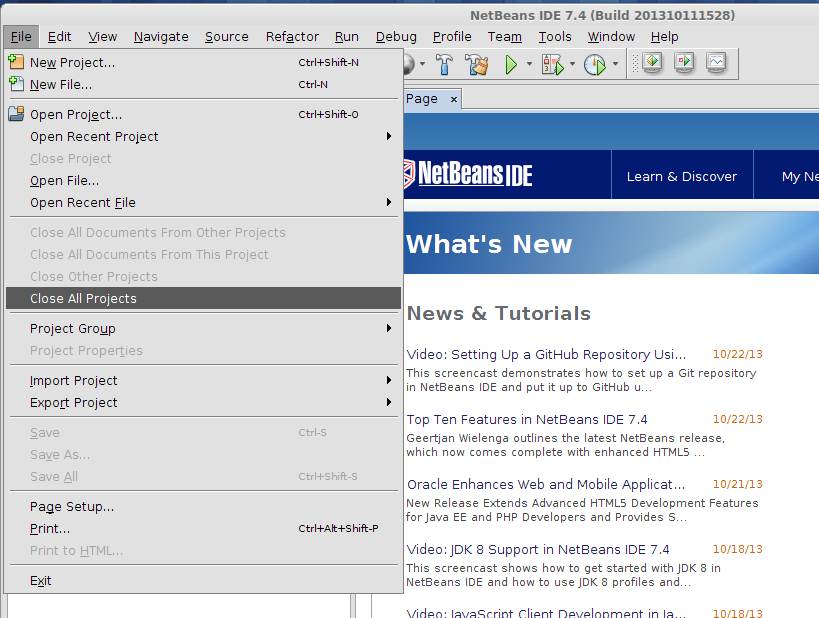
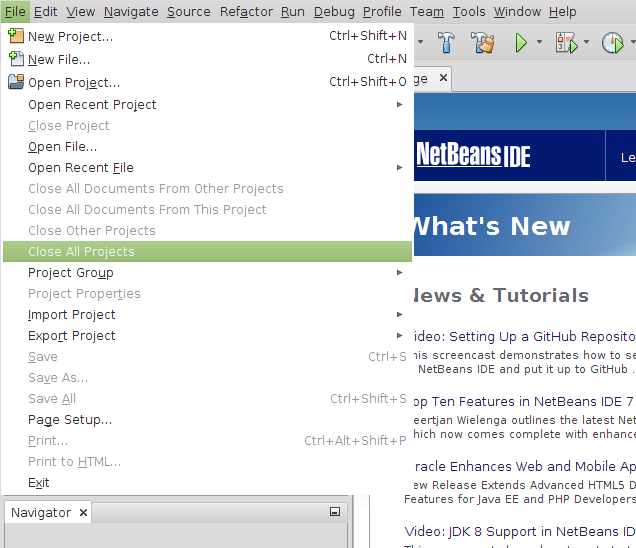
Here is the result:

Before:
nb-before-menu


After:

nb-after-menu


Much better, isn’t it?

Get Geo Location from Image File


public static GeoLocation getMetadata(String filename) {
    GeoLocation gl = null;

    try {
        File file = new File(filename);
        Metadata metadata = ImageMetadataReader.readMetadata(file);

        for (Directory directory : metadata.getDirectories()) {
            if (directory instanceof GpsDirectory) {
                GpsDirectory gpsd = (GpsDirectory)directory;
                gl = gpsd.getGeoLocation();
            }
        }

    } catch (ImageProcessingException | IOException ex) {
        Logger.getLogger(ImageHelper.class.getName()).log(Level.SEVERE, null, ex);
    }
    return gl;
}


Very simple.
The example uses metadata extractor in Java.
http://www.drewnoakes.com/code/exif/

JSF 2.0 Composite Components #1

Starting with something very easy – label. We’ll make it bold to separate from input/output text.

Usual directories in the web project:


<Web Pages>
<Web Pages>/WEB-INF
<Web Pages>/resources
<Web Pages>/resources/css
<Web Pages>/resources/images
<Web Pages>/resources/realsoft


In bold is the directory where I’ll put my custom components. Choose a suitable for you name. Below is label.xhtml file:

<?xml version='1.0' encoding='UTF-8' ?>
<!DOCTYPE html PUBLIC "-//W3C//DTD XHTML 1.0 Transitional//EN" "http://www.w3.org/TR/xhtml1/DTD/xhtml1-transitional.dtd">
<html xmlns="http://www.w3.org/1999/xhtml"
xmlns:cc="http://java.sun.com/jsf/composite"
xmlns:h="http://java.sun.com/jsf/html">
<!-- INTERFACE -->
<cc:interface>
  <cc:attribute name="value" required="true" />
  <cc:attribute name="for" required="false" />
</cc:interface>
<!-- IMPLEMENTATION -->
<cc:implementation>
  <span id="#{cc.clientId}" class="label" >
    <h:outputLabel id="#{cc.clientId}label" value="#{cc.attrs.value}" for="#{cc.attrs.for}" />
  </span>
</cc:implementation>
</html>


Java SE 1.6.0_21 (6u21)

Java SE 1.6.0_21 released.

Release Notes